Review each connection
The dashboard shows connected accounts, Read and Write access, testing and disconnection.

ONE AI. ALL YOUR MAIL. ON ROUTES. OFF YOUR HANDS.
Connect your existing email accounts to the AI assistant you already use. Search, organize, and repeat your email tasks—with control over what gets changed.
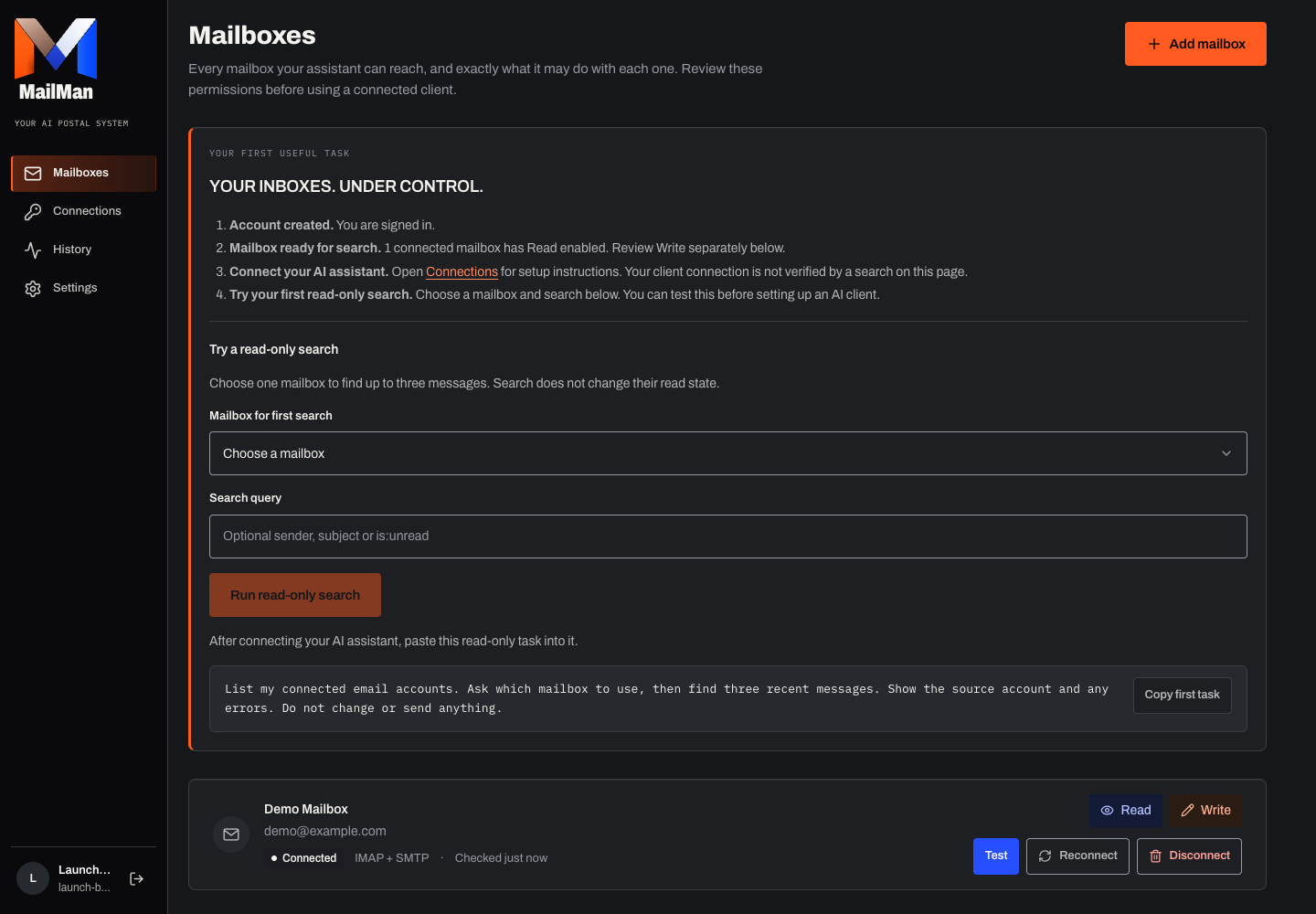
Review the provider requirements, connect a readable account and check a small result before allowing changes.
Bring together the email accounts you choose. Keep their provider, permissions and identity clear.
The dashboard shows connected accounts, Read and Write access, testing and disconnection.
Search the mailboxes you select and read messages or full conversations with their source account attached.
Use account, sender, date and folder filters. Inspect partial results and account errors.
Prepare a draft for review, or use permitted reply and send tools from the selected mailbox.
Drafting and sending are separate operations. Review recipients, content and account permissions before sending.
Mark read or unread, star, archive, label or move messages where the provider supports the action.
Read and Write controls, connection tests and activity history help you manage access and inspect results.
Remote MCP and existing connection recipes are implemented. Current-version end-to-end checks for Claude, Claude Code and ChatGPT are not yet accepted.
See authentication, client prerequisites and verification limits before choosing a client.
Start with provider setup and a useful read-only task. Create a free account to begin. No live subscription is sold here, and future prices or allowances are not an approved offer.
Checkout not activeView access status ↗Your existing Gmail, Microsoft or IMAP mailbox stays with its provider. MailMan gives your permitted AI client access to supported operations.
You need a compatible AI client. That client's subscription and your email provider fees are separate. Current client-version acceptance is still pending.
No. A write-enabled client can invoke permitted tools; client confirmation varies. Exact digest approval applies to the reviewed CLI routine workflow, not every send or modification.
Reading and marking read are separate tool operations. Live unread-invariance checks for each provider remain part of launch acceptance; do not assume a client will avoid other tools.
There is no hosted scheduler. Prepare a definition, create a fresh CLI plan and review it each time. Client scheduling is not advertised as verified.

Start with a free account and one read-only search. Existing accounts keep their connection.